
Buying a Monitor for Your CCTV? Don’t Overlook These Details Leave a comment
Introduction
Imagine spending hundreds of thousands of naira installing CCTV cameras around your business. You’ve covered the entrance, reception, checkout counters, office spaces, and perhaps even the car park. Everything seems properly set up until you sit down to monitor the footage. The screen looks too small, some camera feeds are difficult to see clearly, and identifying important details becomes a struggle. You may have invested in good security cameras, but if your monitor cannot display their footage properly, how useful is the entire setup? This is a situation many Nigerian business owners overlook when planning their surveillance systems. They focus on camera quality and installation costs but give little attention to the screen that allows them to see what’s happening across their premises.
The truth is that choosing a monitor for your CCTV system requires more thought than simply picking the cheapest option or the biggest screen available. You need to consider resolution, screen size, operating requirements, compatibility, and the conditions under which your business will use the display. Getting these details wrong could mean spending additional money replacing equipment or struggling with a monitoring experience that doesn’t meet your security needs. In this guide, we’ll walk you through the important details to consider before buying a CCTV monitor, helping you make a more informed decision and get better value from your surveillance investment. Welcome to FluxNotch Technologies. Let’s help you choose a monitor that makes monitoring your business easier and more effective.
Screen Resolution Matters: Can You Actually See the Details?
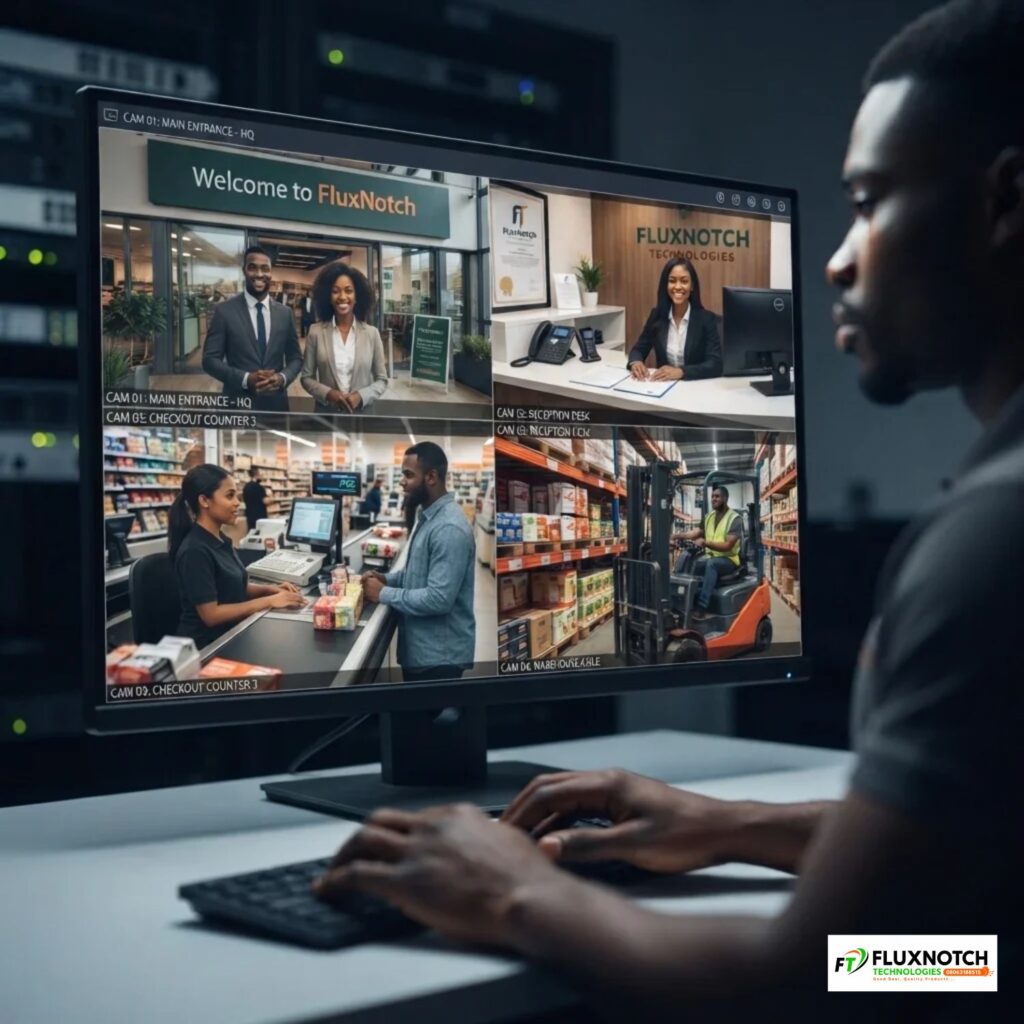
One of the first things to consider when buying a monitor for your CCTV system is screen resolution. After all, what is the point of installing cameras across your business if the footage displayed on your screen is difficult to interpret? Imagine reviewing footage from your supermarket after noticing an unusual activity around the checkout counter. The camera captured what happened, but the images appear blurry or lack sufficient detail on your display. This can make it harder to recognise faces, identify objects or understand exactly what happened. Screen resolution determines how much visual detail a monitor can display, with common options including HD (720p), Full HD (1080p) and 4K. Generally, higher resolutions offer sharper images, making it easier to view details, particularly when monitoring multiple areas of a business.
However, don’t assume that buying a 4K monitor automatically gives you clearer CCTV footage. Your cameras, DVR or NVR recorder and its output settings must also support the resolution you want to display. Connecting a high-resolution monitor to a surveillance system producing lower-resolution footage won’t magically improve the original image quality. The smarter approach is to choose a display that matches your CCTV equipment and the level of detail your business needs. Explore the computer monitors available at FluxNotch Technologies and find a display that suits your surveillance requirements.
Screen Size Matters : Choose a Display That Shows Every Camera Clearly
Another important consideration is monitor size. A display that works perfectly for checking emails or browsing the internet may not be suitable for monitoring several CCTV camera feeds simultaneously. Think about a business with eight cameras covering different areas of its premises. If all eight feeds are displayed on a small screen, each camera view may become too tiny for comfortable monitoring. Security personnel might struggle to notice activities happening in the background, especially when they need to watch several areas at once. This is why businesses should consider the number of cameras they intend to monitor, how the footage will be arranged on the screen and how far away the person viewing it will sit. A larger monitor can make multiple camera feeds easier to view, particularly in offices, supermarkets, warehouses and dedicated security rooms.
However, bigger doesn’t automatically mean better. A large screen with insufficient resolution may still produce unclear images, while an unnecessarily large display could take up valuable space without providing meaningful benefits. For smaller businesses monitoring just a few cameras, a reasonably sized monitor may be sufficient. Larger installations with 8, 16 or more cameras may benefit from bigger displays, depending on how many feeds need to be viewed together. Consider your available space, viewing distance and surveillance requirements before making a decision. Explore the range of monitors at FluxNotch Technologies to find a screen size that works for your business and CCTV setup.
Your CCTV Monitor May Need to Stay On All Day : Check Its Operating Requirements
Unlike a regular computer monitor that might only be used for a few hours, a CCTV display in many businesses needs to remain switched on throughout the working day. Some security environments even require continuous monitoring, including overnight and weekends. This means you cannot choose a monitor based solely on how good its display looks. You also need to consider whether it is suitable for extended operation. Imagine running a warehouse where security personnel monitor different areas around the clock. A monitor that isn’t designed or rated for the required operating schedule may become an unreliable choice over time. Before purchasing, check the manufacturer’s specifications to understand the recommended operating hours and whether the display is rated for continuous 24/7 use where necessary.
You should also consider heat management, ventilation and where the monitor will be positioned. Keeping a display in a poorly ventilated space can affect its operating conditions, particularly when it remains switched on for extended periods. Image retention and burn-in are also worth considering, especially with displays that show fixed camera layouts or static information for long periods. Not every business needs a specialised surveillance monitor, but your operating requirements should influence the decision. Also, check the warranty terms and available manufacturer support before committing to a purchase. Explore reliable monitor options at FluxNotch Technologies and choose a display that suits how frequently your business needs to monitor its premises.
Check Your CCTV System’s Compatibility Before Buying a Monitor
You’ve found a monitor with the right screen size, resolution and operating specifications. But before making payment, there’s one more thing you need to check: will it connect properly to your existing CCTV system? Many business owners overlook this detail and only discover the problem after purchasing the display. Your CCTV recorder, whether a DVR (Digital Video Recorder) or NVR (Network Video Recorder), needs a compatible output connection to send footage to the monitor. Common connections include HDMI and VGA, so check the ports available on your recorder and make sure they match the inputs on your chosen display. You should also confirm that the monitor supports the output resolution of your recorder. Otherwise, you could end up spending extra money on adapters or other equipment just to get everything working.
Cable quality and length also deserve attention, particularly if your monitor will be positioned some distance away from the recorder. Using an unsuitable cable or an unnecessarily long connection can create display problems, depending on the connection type and installation conditions. Before buying, check your recorder’s available ports, the monitor’s input options and the cable requirements for your installation. If you’re unsure, confirm the specifications with your CCTV installer or equipment supplier rather than guessing. Explore compatible monitors, HDMI cables, VGA cables and display accessories at FluxNotch Technologies to get your CCTV equipment connected properly.
Think Beyond the Screen: Plan for Comfortable and Reliable Monitoring
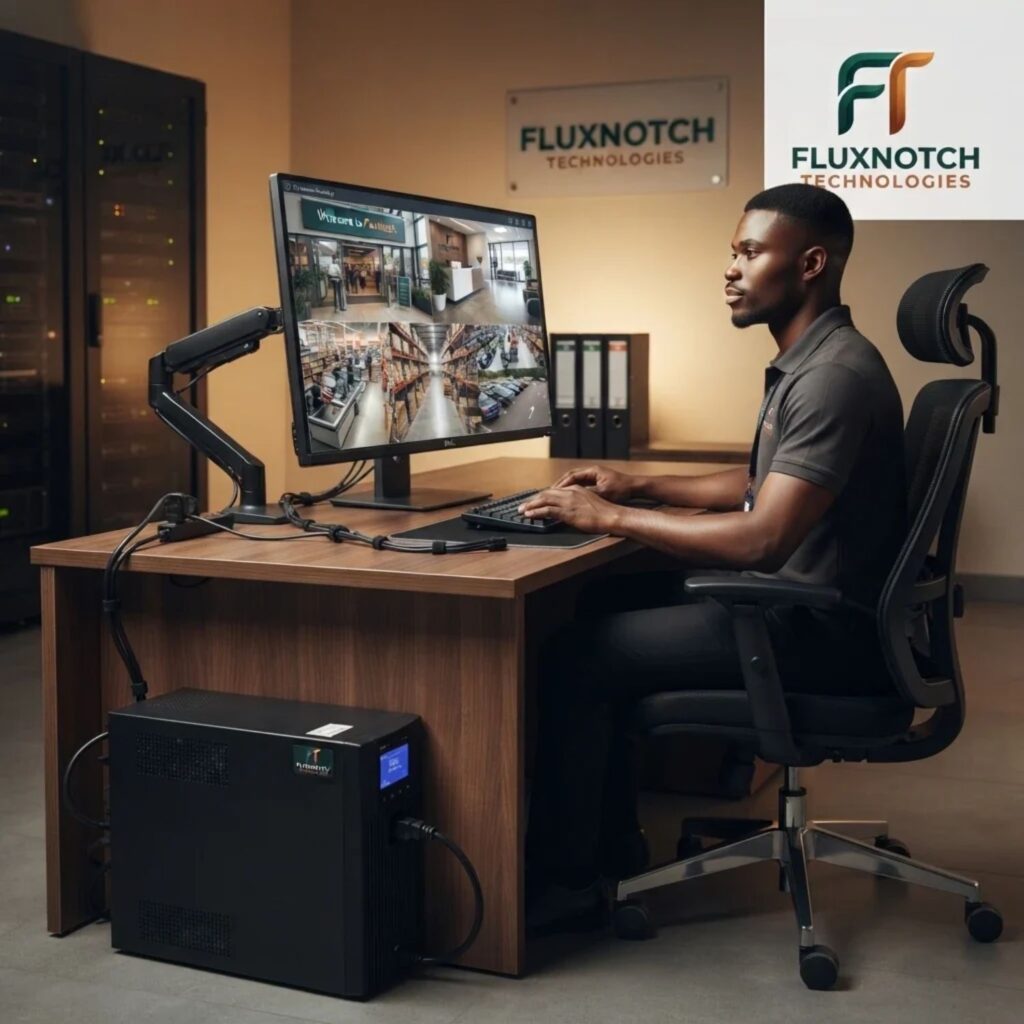
Choosing a monitor based only on resolution and screen size can leave you overlooking the conditions in which it will actually be used. For instance, a security officer who spends several hours watching camera feeds needs a display that is comfortable to view throughout the day. Brightness, viewing angles and anti-glare features can all influence the experience, particularly in brightly lit offices or security rooms. If several people need to view the same screen, a monitor with suitable viewing angles can make it easier for everyone to see the footage without constantly adjusting their position. You should also consider how the display will be positioned. An adjustable stand or suitable wall mount can help create a more practical viewing arrangement, especially where desk space is limited.
Power reliability is another detail Nigerian businesses shouldn’t ignore. A sudden electricity interruption can switch off your CCTV display just when security personnel need to monitor activities. Depending on your surveillance setup, a suitable UPS can provide temporary backup power and help keep the monitor and other essential equipment running during an outage. However, check the combined power consumption of the devices you intend to connect and choose a UPS with sufficient capacity and backup runtime. You don’t necessarily need every additional feature available, but you do need a setup that supports your actual monitoring requirements. Explore monitors, UPS systems, monitor stands and other useful accessories at FluxNotch Technologies to create a more comfortable and reliable CCTV monitoring environment.
Conclusion: Choose a Monitor That Helps You Monitor Better
Your CCTV cameras play an important role in protecting your business, but the monitor determines how comfortably and clearly you can view the footage they capture. Before making a purchase, consider the resolution needed to display your camera footage, the screen size required to monitor multiple feeds and whether the display can handle your business’s operating schedule. Check compatibility with your DVR or NVR, pay attention to viewing comfort and don’t overlook reliable power, especially if your business needs continuous surveillance. These details may seem small compared with choosing cameras or paying for installation, but getting them right can help you avoid unnecessary replacement costs and make better use of your security investment.
Remember, the best monitor for your CCTV system isn’t necessarily the biggest or most expensive one. It’s the display that works with your existing equipment, meets your monitoring needs and allows you to see what’s happening around your business without unnecessary difficulty. Ready to choose the right display for your surveillance system? Explore the range of monitors and computer accessories at FluxNotch Technologies and find equipment that supports your business’s security needs.
